
Rush Macro for Android gives users access to a set of gaming controls linked to Free Fire. These include X and Y sensitivity settings, headshot-focused controls, a RAM cleaner, and an anti-ban button.
However, the available features may depend on the APK version and its source. Before installing it, check your Android device, review the app’s permissions, and understand the risks of using third-party tools with Free Fire.
What Is Rush Macro for Android?
Rush Macro for Android is an unofficial app associated with Free Fire gameplay controls. Its interface brings several tools together in one place. For example, users may find sensitivity settings and other options inside the Rush Macro panel.
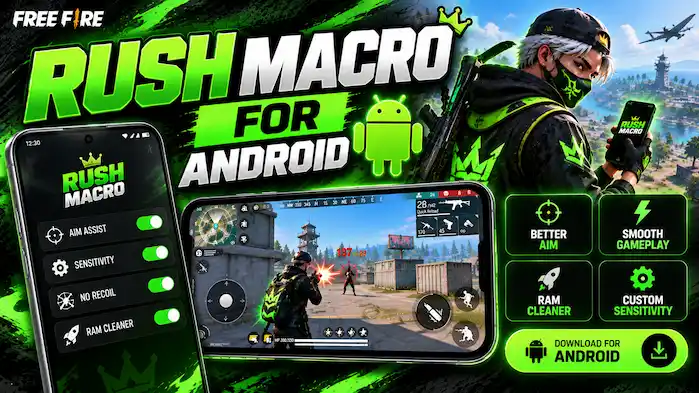
However, Rush Macro is not an official Garena app. It may also be shared through third-party APK websites rather than the Google Play Store. Therefore, users should not assume that every download is genuine or safe.
If you want a broader overview of the app, visit our Rush Macro guide.
Rush Macro Features on Android
The Android version is known for several controls that appear in its interface. However, their behavior may vary between versions and devices.
X and Y Sensitivity Settings
Rush Macro includes separate X and Y sensitivity controls. These settings appear to offer users more control over input sensitivity. However, their exact effect depends on how the app works with the game and the device.
In addition, these controls do not guarantee better aim or more headshots. Players should avoid assuming that one setting will work the same way on every Android phone.
Headshot-Focused Controls
The app includes controls promoted for headshot-focused gameplay. These options may appeal to users who want to change how their game inputs behave. Still, the feature name alone does not prove that it improves accuracy.
For a fair comparison, users should first learn the sensitivity and control options available inside Free Fire itself.
RAM Cleaner
Rush Macro also includes a RAM cleaner button. This feature appears to target memory management on the device. However, a button in the interface does not prove that it improves game performance.
Android already manages memory and background apps. As a result, users should check whether the feature has a clear purpose before granting extra permissions.
Anti-Ban Button
Some Rush Macro versions display an anti-ban button. However, this label is not proof of protection against account penalties. No third-party tool can guarantee that a Free Fire account will avoid a ban.
Garena may penalize accounts that use unauthorized tools to gain an unfair advantage. Therefore, users should not treat an anti-ban button as a safety guarantee.
Rush Macro Android Compatibility
Before installing Rush Macro, check whether the APK supports your device. The Android version, processor, available storage, and required permissions can affect whether an app installs or runs.
Use this checklist before proceeding:
Importantly, there is no single Android requirement that can be confirmed for every Rush Macro release. Different websites may list different versions and specifications. Check the details for the exact file you are considering.
How to Install Rush Macro on Android
Installing an APK from outside Google Play requires extra care. If you are reviewing a Rush Macro file, follow these checks before opening it.
Android may require permission to install apps from an unknown source. However, enabling this option does not verify the APK’s safety. If you decide to install an unofficial file, limit that permission to the relevant source and turn it off afterward.
For more download-related checks, see our Rush Macro APK download page.
Rush Macro for Android and Free Fire
Rush Macro is associated with Free Fire, but that does not mean it is supported or approved by Garena. Its controls may be promoted for gameplay adjustments, yet the exact effect can differ by app version and device.
Meanwhile, Free Fire has its own sensitivity and control settings. These built-in options are the safer place to start when adjusting aim, movement, and button placement. Using an unofficial tool may also create account or device risks. Therefore, read Garena’s current rules before using third-party software that interacts with the game.
Rush Macro for Android vs. Built-In Settings
Android users can adjust many gaming preferences without installing another app. Free Fire also provides in-game controls that players can change to suit their devices.
Built-in settings have a clear advantage: they come with the game. In contrast, an unofficial APK may have unclear developers, uncertain updates, or permissions that are hard to verify. If your goal is to improve control, start with the game’s own settings. Then test one change at a time so you can see what works for your device.
Is Rush Macro Safe for Android?
Rush Macro’s safety depends on the exact APK file, its source, and the permissions it requests. A feature list cannot prove that an app is free from malware or that it protects your account.
Before using it, keep these points in mind:
For these reasons, do not install a file just because its page calls it the latest version or claims that it is safe. If you cannot verify the source, developer, and requested permissions, the safer choice is not to install it.
Common Rush Macro Android Problems
Rush Macro APK Will Not Install
First, check whether the file downloaded in full and whether your Android version meets the requirements stated by the source. The APK may also be damaged or incompatible with your device. Do not download another copy from an unknown website without checking its reliability.
Rush Macro Keeps Crashing
Crashes can result from compatibility problems, app errors, or conflicts with the device. Check the version information and Android requirements first. However, avoid disabling security features to force an unofficial app to run.
Rush Macro Features Do Not Work
A feature shown in the interface may not work on every device or version. Also, the app may not have the permissions or compatibility it expects. Do not assume that every listed control changes Free Fire’s behavior as advertised.
Is Rush Macro Available on Google Play?
Availability can change, so check Google Play directly rather than relying on third-party claims. If you cannot find a verified listing from the developer, treat APK downloads as unofficial and review them with extra care.
Frequently Asked Questions
Is Rush Macro for Android free?
Some third-party pages may offer Rush Macro APK files at no cost. However, check the download page for its terms and avoid buttons that lead to unrelated apps or payment requests.
Which Android version supports Rush Macro?
The minimum Android version may vary by release. Check the requirements listed for the exact APK, and do not rely on specifications copied from an unrelated version.
Can Rush Macro improve headshots?
Rush Macro includes headshot-focused controls, but their presence does not prove that they improve accuracy. Results can vary, and the tool may carry gameplay and account risks.
Does Rush Macro have an anti-ban feature?
Some versions display an anti-ban button. However, this does not guarantee that an account is protected from bans or other penalties.
Is Rush Macro an official app?
Rush Macro is an unofficial tool associated with Free Fire. Do not treat it as a Garena product unless an official source confirms that status.
Why does Rush Macro fail to install?
The APK may be damaged, incompatible with your Android version, or blocked by device security settings. Check the source and file details first instead of ignoring security warnings.
Final Thoughts
Rush Macro for Android brings several gaming-related controls into one interface, including X and Y sensitivity settings, headshot-focused controls, a RAM cleaner, and an anti-ban button. However, the actual results, compatibility, and safety depend on the specific app version and file source.
Before installing an APK, check its origin, permissions, and Android requirements. Also, remember that no anti-ban feature can guarantee account protection. If you want to understand the app’s controls in more detail, read our Rush Macro Panel page and compare third-party claims with the options available in Free Fire itself.